How do I set up Dual SIM with an eSIM on my iPhone?
Dual SIM lets you use two phone numbers on one iPhone — for example, one for business and one for personal calls, or a local eSIM data plan when travelling alongside your home SIM.
What you need:
-
An eSIM-compatible iPhone - iPhone XS, XR, or later. Check compatibility here
-
An unlocked device, or both plans from the same carrier - If unsure, check your unlock status here
iPhone 13 and later also support two eSIMs at once, in addition to a physical SIM + eSIM.
Step 1. Install your eSIM if you haven't already - follow our eSIM install guide for iPhone
Step 2. Label your plans so it's easy to tell them apart:
- Open Settings
- Tap Mobile / Cellular Data
- Tap the plan you want to label
- Tap Mobile Plan Label
- Choose a preset label or enter a custom one
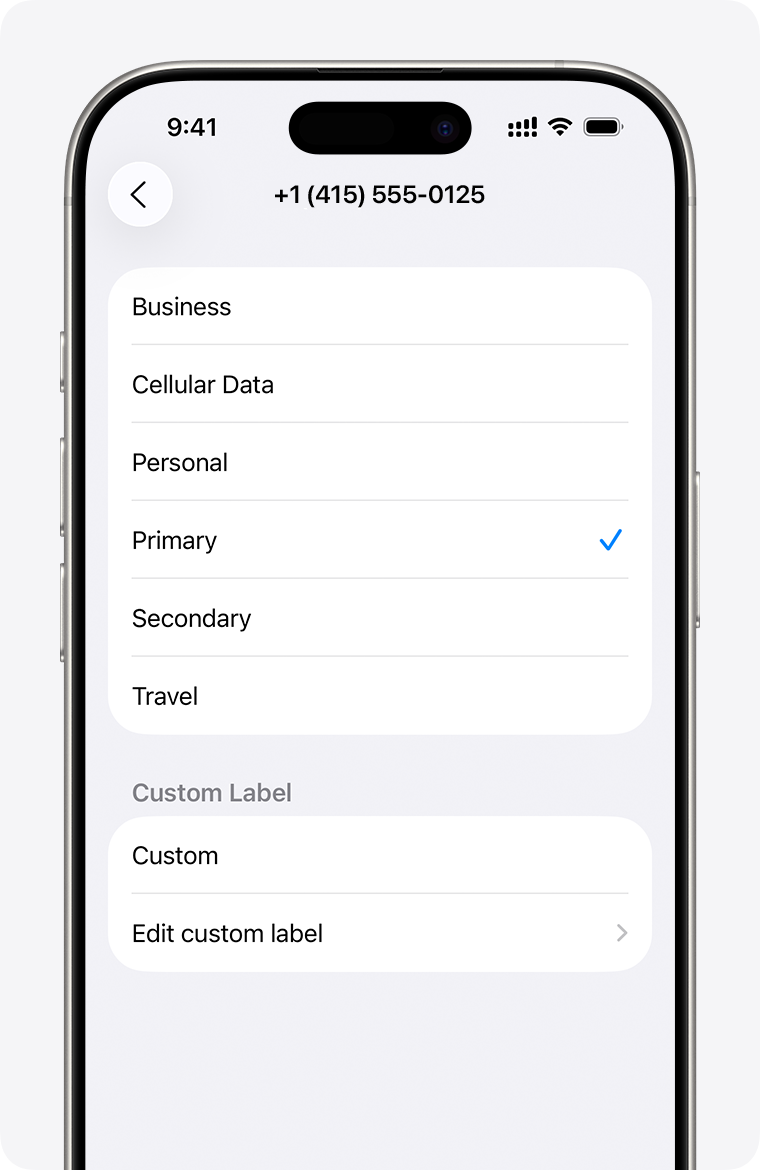
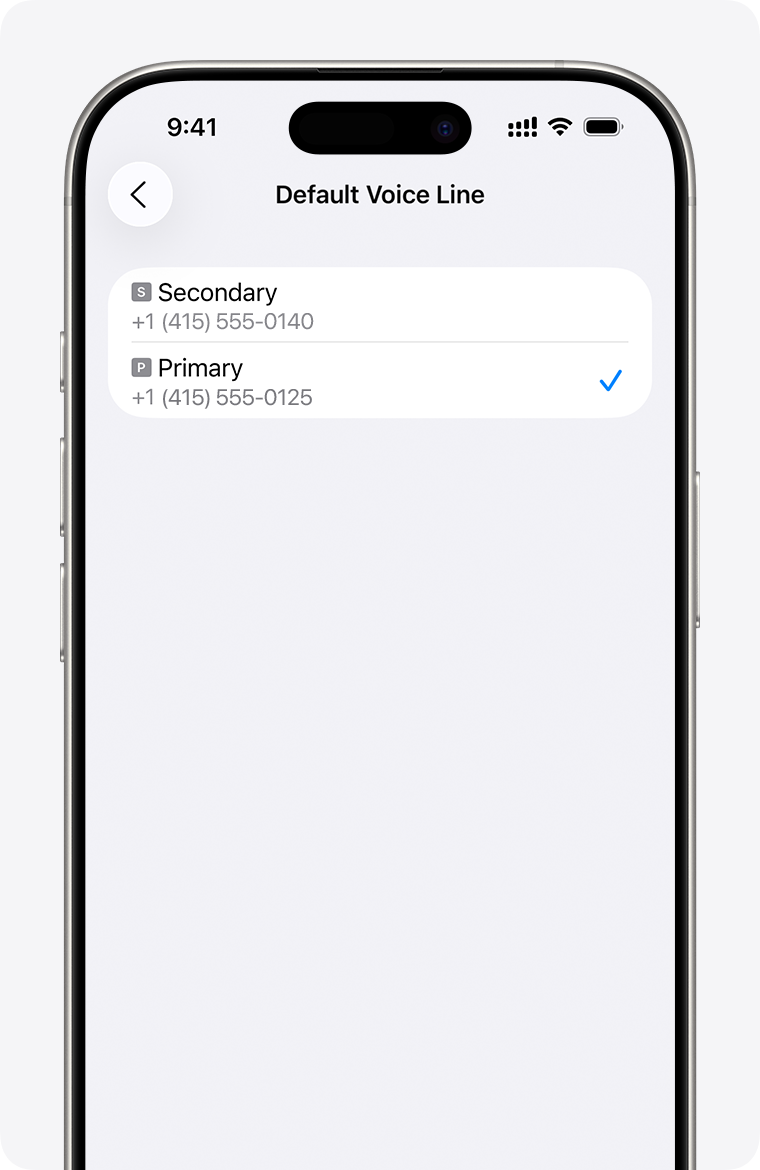
Step 3. Set your default number:
- Open Settings
- Tap Mobile / Cellular Data
- Tap Default Voice Line
- Choose which number to use by default for calls to numbers not in your contacts, and which to use for iMessage/FaceTime
Step 4. Choose which line handles mobile data - see how to change your cellular data line on iPhone for full details.
Related Article: How do I install and set up an eSIM on my iOS device?
